
B2B conversion rate optimization is rarely easy. But it is often especially difficult when you run a B2B website that only gets 2,000 visits a month. This is where our guide comes in: useful information, qualitative methods, and high-impact actions for B2B conversion rate optimization for websites that only get 2,000 visits a month can be found in the sections below.
Why A/B testing fails at 2,000 visits a month
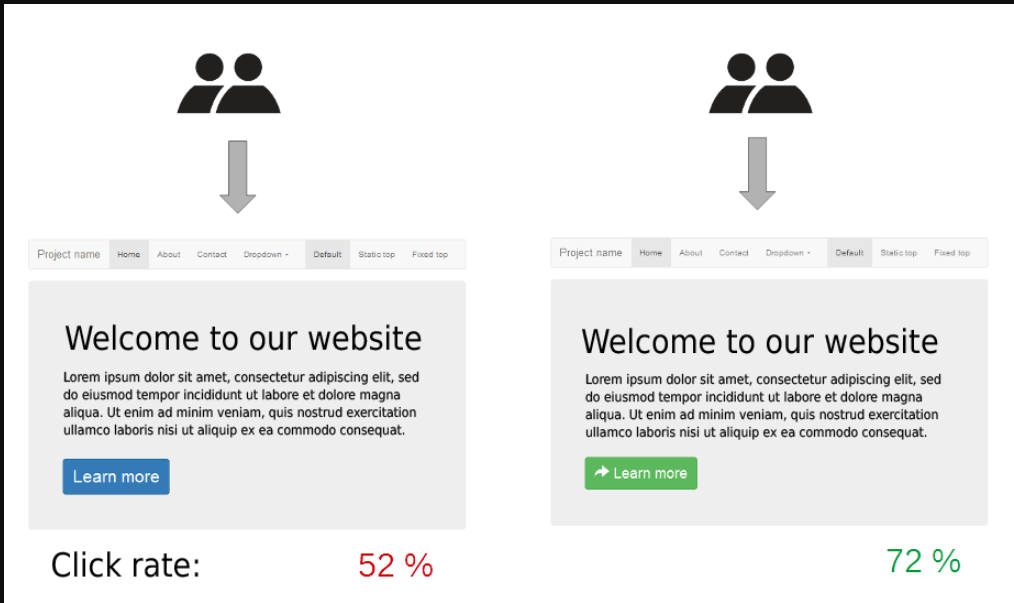
When your B2B website only receives 2,000 visits a month, standard A/B testing may not be the best path to B2B conversion rate optimization. This is due to the following:
- Proper A/B testing requires statistical significance. But low traffic means an A/B test may need to run for months to achieve statistical significance. This is not always feasible, and statistical significance is not guaranteed. This means that alternative testing methods should be employed.
- You can track micro-conversion activities with A/B testing. “Scroll depths” and “button clicks,” to name two micro-conversion examples. These micro-conversions usually fail to correlate with high-value pipeline generation, which means that testing these micro-conversions may not lead to actionable data.
- Even if you run an A/B test across many months/years, in order to reach statistical significance, the data will be invalid due to market changes, seasonal shifts, and ad campaign adjustments. On top of that, there is no guarantee this data will reach statistical significance, even if you run your A/B test for a long time.
A/B testing is very useful for B2B conversion rate optimization. But, if a B2B website is only getting 2,000 visits a month, it may not be the right choice.
Using Webflow Optimize for B2B conversion rate optimization when you only get 2,000 visits a month
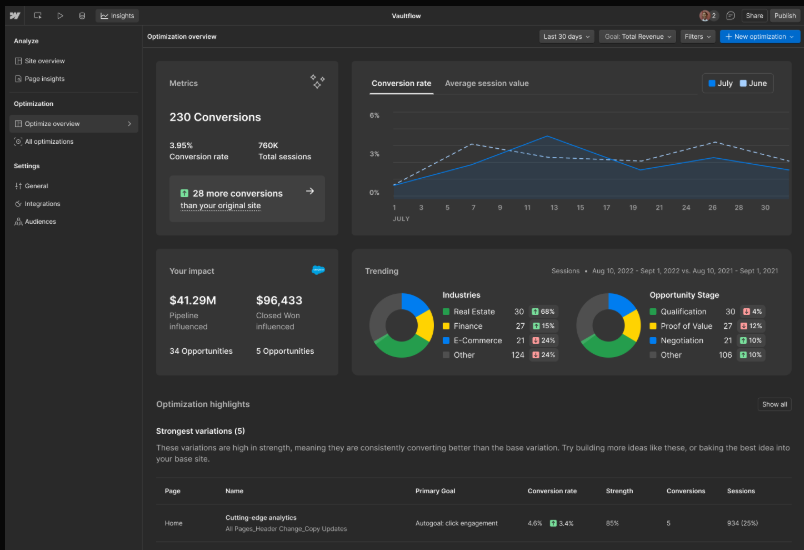
Webflow Optimize provides native testing alongside specialized AI-driven personalization features. You can use these features for B2B conversation rate optimization.
Traditional A/B tests in Webflow Optimize
You can run traditional A/B tests in Webflow Optimize. Running traditional A/B tests, in Webflow Optimize, will let you compare fixed page variations with manual or even traffic splits until a fixed page winner emerges.
Here are some of the key features that underlie traditional A/B tests in Webflow Optimize:
- Fixed traffic splits: You can divide visitor traffic evenly, using a 50/50 split. Or, you can create a manual allocation for traffic splitting.
- No external scripts: Traditional A/B testing is native to Webflow Optimize. You don’t need any external scripts to perform this kind of testing within Webflow.
- Launching and editing: You can pause, stop, and launch the A/B test again at any point if you need to make changes to it.
Even though the above is useful, traditional A/B tests in Webflow Optimize are not ideal for websites that receive less than 2,000 visitors a month. These tests require full statistical confidence, which is not possible with just 2,000 visitors a month. Other B2B conversion rate optimization methods will need to be employed.
AI-optimized testing with Webflow Optimize
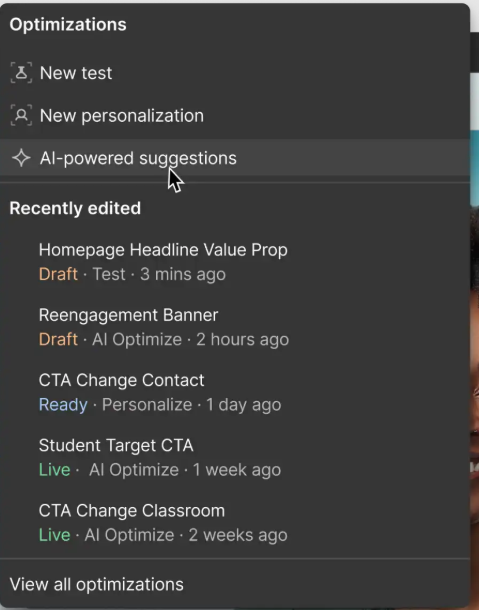
Webflow Optimize offers AI-optimized testing. This can be used alongside traditional A/B testing. Instead of running a 50/50 A/B test until statistical significance has been reached, these AI-optimized tests dynamically allocate greater traffic to better-performing variants.
Here is one example: you have two landing pages. But, one performs a lot better than the other. Webflow Optimize’s AI-optimized testing gives the better-performing landing page more traffic, to increase your conversion rate. This process is automatic and occurs in real time.
Webflow Optimize’s AI-optimized testing requires statistical confidence. Just 2,000 visitors a month is not enough to build statistical confidence, which means that Webflow Optimize’s AI-optimized testing is not ideal for websites with just 2,000 visitors a month.
Targeted personalization using Webflow Optimize
You can skip testing and, instead, use Webflow Optimize for targeted personalization. This personalization can target specific traffic origins and/or core firmographic attributes; among other attributes.
Here is one example of what Webflow Optimize’s targeted personalization allows for: you can show tailored case studies to visitors that come from Reddit, including specific Subreddits that belong to the industries your product targets. Using these Webflow Optimization targeted personalization features can help you see what converts and, by extension, what may not be converting.
If your B2B website only receives 2,000 visitors a month, targeted personalization is likely the best Webflow Optimize testing approach. This is because you don’t need a control group to validate key traffic/engagement shifts.
Qualitative methods for B2B conversion rate optimization when you only get 2,000 visits a month
Webflow Optimize offers a wealth of fantastic B2B conversion rate optimization features. As useful as these features tend to be, though, they aren’t always useful for a B2B website with just 2,000 visitors a month. This is where qualitative methods come in: they focus on qualitative data over quantitative data, which can be very useful.
On-site exit intent single-question modal
Some of the customers that visit your B2B website will make a purchasing decision, sign up to your service, or book a demo; among other possibilities. But, a portion of them may exit your B2B website before doing so. Depending on the data available to you, figuring out why those customers aren’t moving forward can be very challenging.
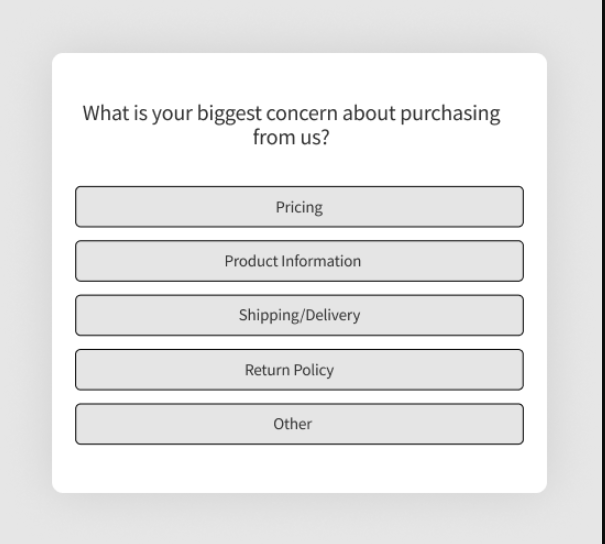
To figure out why some customers are not moving forward with your product, you can set up a single-question modal. This single-question modal will ask a single question that clarifies why the customers, who have chosen to engage with the single-question modal, are not moving forward with your product.
Your single-question modal can trigger when a visitor shows exit intent on high-value pages. This single-question could be something like “Why aren’t you booking a demo with us today?” or “What is preventing you from purchasing this product?”
Underneath your single-question modal, you can offer a small text box. Visitors can input an answer to the question you have asked them. Or, alternatively, you can give them a list of different choices. Such as “I’m not ready to purchase” and “The price is too expensive.” Both options allow for valuable B2B conversion rate optimization data.
Here are some of the benefits that come from using an on-site exit intent single-question modal:
- Visitors can tell you why they are not moving forward with a purchasing decision. You can use this decision to adjust your B2B website and, in doing so, increase your overall conversion rate.
- Single-question modals are usually very easy to set-up. Unlike other B2B conversion rate optimization methods, this method can usually be implemented in a matter of minutes.
- You can use what visitors have to say, about their exit intent, to understand what isn’t working. All of this data can help you tailor specific B2B website elements towards greater conversions.
5-second messaging tests
Your B2B website’s design has an enormous impact on whether or not customers move forward with a purchasing decision. If certain design elements fail to communicate what your company actually does/offers, who your product is for, and the primary benefit of that product, customers may not move forward with a purchasing decision.
To understand how well your B2B website communicates the core elements of what you offer, you can run a 5-second messaging test for B2B conversion rate optimization.
Running a 5-second test means setting up several target buyer personas, such as the “VP of Sales” and “Head of IT,” as well as any other buyer personas your product targets. Right after you gather these target buyer personas, you can show your B2B website’s Webflow landing page to them for 5 seconds and ask the following:
- What does this company do?
- Who is this product for?
- What is the primary benefit of this product?
A 5-second period on your B2B website should be more than enough to reveal the answers to each of those questions. But if it isn’t, then this is a sign that your website’s design needs to be altered.
If visitors cannot understand your company, who the product is for, and the product’s primary benefit after visiting your website, they may not move forward with a purchase. This will reduce your B2B conversions and harm the overall success of your business.
Here are some of the benefits that come from running 5-second messaging tests:
- 5-second messaging tests capture raw, initial reactions. Your responses will not be biased by overanalysis or prior familiarity with your website.
- You can use the data from 5-second messaging tests to figure out what is working, what isn’t, and what needs to be adjusted.
- 5-second messaging tests are very easy to set up. You can run them on landing pages. But that’s not all: you can run them on any page within your website.
Sales pipeline data extraction
Your sales pipeline is a source of invaluable B2B conversion rate optimization data. This data can tell you what customers are looking for and why they are looking for a product that may just be the one you offer. You can use this data to tailor your B2B website to those desires/needs. This can enhance your B2B conversion rate.
Here is one way to obtain this information: set up a “How did you hear about us?” form field that is featured all across your website. In each of your submissions, try to find the breaking point that led to current/potential customers to seek out your product, as well as a description of what they are looking for
Outside of setting up a form field, you can record discovery calls with customer consent. After they conclude, you can revisit them to write down what those customers have to say about their objections to your product, the solutions they are using, what they hope your product will do for them; as well as any other information they happen to reveal.
Here are some of the most notable benefits that come from employing sales pipeline data extraction:
- You can see what customers are looking for and, by extension, what they actually need from your products. This data can be used to tailor your website to the needs/desires of your customers.
- You can set up a form field, record discovery calls, and extract other kinds of data, from your sales pipeline with relative ease. These methods do not require a great deal of money, time, or energy.
- You can learn about customers’ objections to your product during sales calls and/or by setting up a form field that asks about them. This, too, can help you tailor your website to the needs of your customers.
User session analysis
You can use a user session/heatmap analysis tool, like Hotjar, to see how customers interact with your pages. The best way to do this is to filter this data by focusing on high-intent pages, such as your product’s landing pages. And, then, to focus on how customers who spend more than 45 seconds on those pages, tend to navigate them.
If you perform user session analysis on these pages, you may notice certain behaviors:
- Rapid scrolling without a clear aim.
- Idle time over the form fields that, if filled out, could lead to a demo, meeting, or sale.
- Repeated page cycling.
Every single one of these behaviors can indicate certain problems with your B2B website and the paths that it relies on to create new conversions. You can use this data to adjust certain aspects of your website and enhance your overall B2B conversion rate.
Here are some of the primary benefits of user session analysis
- You can use user session/heatmap analysis with tools like Hotjar. These tools are relatively easy to set-up and work well within Webflow.
- Customers may tell you why they didn’t move forward with a purchasing decision. This reason might be accurate, but it may not be the whole truth. Your website’s design may be an even bigger reason why they didn’t move forward, even if they don’t realize it. User session analysis can illuminate this.
- Some customers choose not to move forward with a purchasing decision due to certain form fields. User session analysis can reveal form fields that your users don’t like, letting you adjust/remove them.
High-impact actions for B2B conversion rate optimization when you only get 2,000 visits a month
Every single one of the above can help you optimize your B2B conversion rate, even if your B2B website only gets 2,000 visits a month. But, outside of those tests and methods, there are several high-impact actions that, when employed, can also enhance your B2B conversion rates:
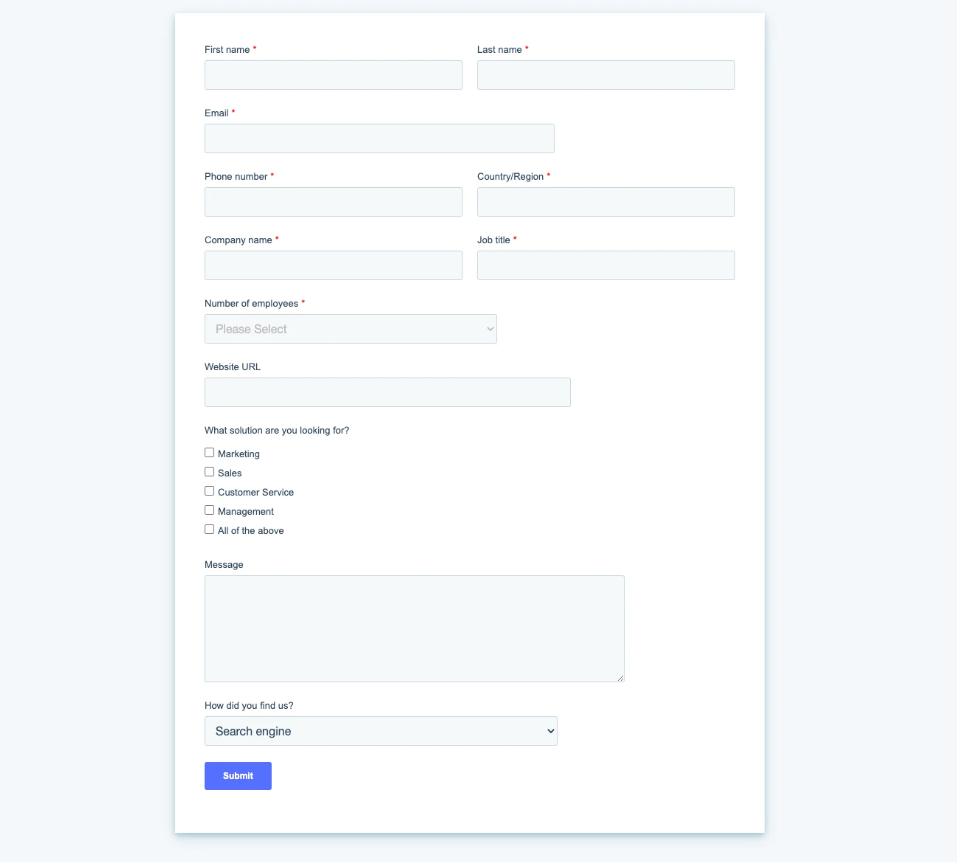
- Reduce form fields: Some of the forms your B2B sales pipeline relies upon may have too many form fields. Too many form fields can create buyer friction. You can look at your existing forms and reduce them down to just three-to-four essential fields. Such as “work email,” “name,” and “company.”
- Micro-copy underneath primary CTAs: Some CTAs are too vague about what happens after customers “Book a demo” or attend a “30 minute consultation.” You can place micro-copy, underneath primary CTAs, that says what will happen. For example, under “Book a demo,” “We will show you a 15 minute demo tailored to your desired usage.”
- Edit hero section headlines: Your B2B website’s hero section should contain a top-of-the-fold headline and this headline should state who your product is for, the problem your product solves, and how it works; all in clear, direct language. If your B2B website’s top-of-the-fold headline does not do that, edit it so that it does.
B2B conversion rate optimization is possible, even for a website that receives 2,000 visitors a month
B2B conversion rate optimization, for a website that receives less than 2,000 visitors a month, can be very difficult. But, the methods and actions clarified above will help you optimize your B2B conversion rates, even if your site only receives 2,000 visitors a month.
If you want to learn more about B2B conversion rate optimization for Webflow websites, you can click here to visit Path To Flow’s article library. We offer guides, overviews, and pages on just about everything to do with B2B websites built/run through Webflow.
Author
 Written byAustin Furey

