

Why a small B2B site needs a different B2B SEO strategy
Developing a small B2B site means dealing with heavy constraints: limited pages, limited authority, and limited time. These constraints require a unique B2B SEO strategy that still aligns with SaaS SEO best practices.
The big-site playbook is centered on publishing volume and chasing head terms. This playbook fails when applied to small B2B sites because you cannot compete with them on publish volume and the head terms may not bring you the sales you need to sustain yourself.
To develop a small B2B site that creates an audience and delivers the results you need, you need to throw out the big-site playbook and replace it with a B2B SEO strategy that embraces your small size.
Define the ICP and the buying committee first
To begin developing a small B2B site, you need to define two things: your Ideal Customer Profile and the committee roles for that ICP. These two things should be one of the main pillars of your B2B SEO strategy.
You can define the ICP by mapping out their specific business pain points, objections, and informational needs onto the B2B services you offer. Every business is a little different, and so is their ICP. This requires an in-depth understanding of your product.
Nearly every ICP includes three major buying committee members: the end-user that will be using your product, the executives in charge of acquiring your product, and gatekeepers that may/may not choose to acquire your product.
Here is what each one of those committee roles tends to care about:
- The end-user cares about the features you offer, their ease-of-use, and the ways in which your product will improve their daily workflow.
- The executives care about the business outcomes your product will create for them, its overall return-on-investment, and cost savings.
- The gatekeepers usually work in the IT, finance, or legal department and they care about security, compliance, and the speed/cost of implementing your service.
Not every ICP has the same type of committee. For example, if you are targeting small law firms, they might not have an IT department or finance department; however, they will almost certainly have some kind of legal or marketing department, even if it is just the lawyer that owns the firm.
You can use this information to develop specific pages for each committee role, as per your ICP. Here is a table with five brief examples:
- [Product Name] For [Gatekeeper Job Title]: The Gate-Keepers
- Here Is How [Product Name] Solves [Key Pain-Point]: The End-User
- [Product Name] And Its Security Features: The Gate-Keepers
- How [Product Name] Saves Money: The Executives
- Security Features For [Product Name]: The Gate-Keepers
For additional reading, you can research “jobs to be done” keywords, or “use case” keywords for your industry. What do people search for as they are solving a problem, and right before they make a buying decision? E
ach one of those items is a B2B SEO strategy example of what a small B2B website can develop. These examples can be reconfigured to meet the needs of your audience.
Target intent over search volume
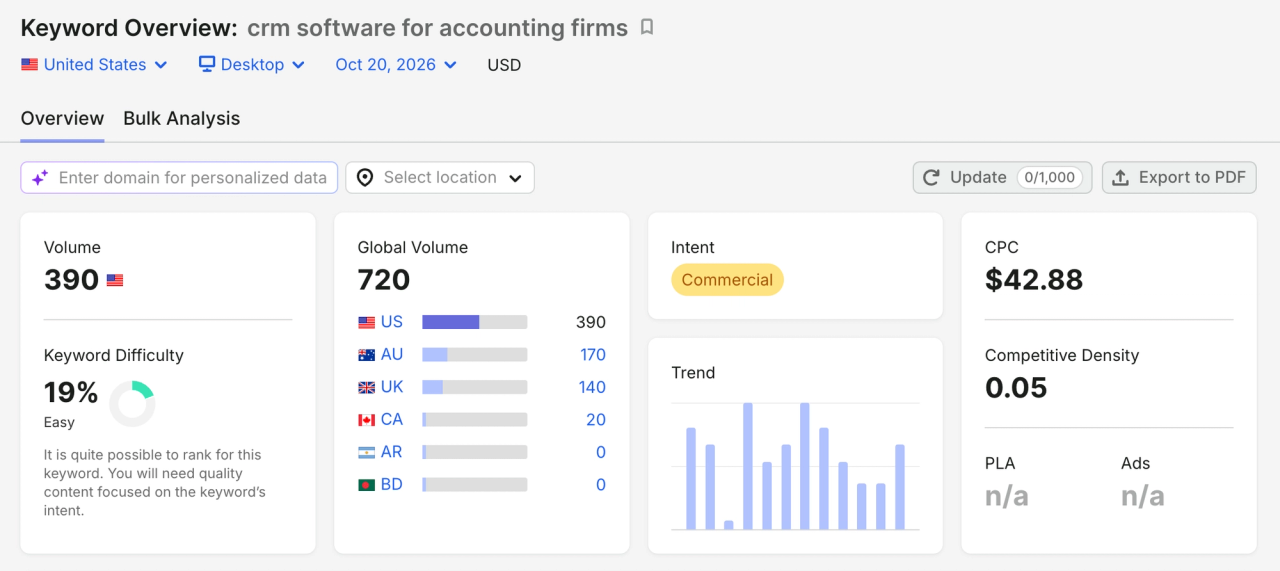
To evaluate keywords by pipeline value, you need to do three things:
- Determine if the people searching for a particular keyword aligns with your ICP.
- Assess just how close a particular keyword search is to actually buying a product/making a commercial decision.
- Estimate how likely it is that, by developing pages with a certain keyword, the resulting traffic will turn into qualified leads/business growth.
The difference between a 40-volume alternative-page keyword and a 5,000 volume informational one is:
- A 40-volume alternative-page keyword is targeting customers that have two very useful qualities: they are searching for that keyword because they are ready to buy a particular product and, because of this, they come with high-conversion value.
- A 5,000 volume informational keyword is far more broad, usually targets people who are seeking information on a particular topic/question, and rarely leads to conversions since the people searching for this keyword just want information.
Sometimes the people searching for a particular keyword just want information. Other times, they are typing in that keyword because they are ready to purchase something. You can check intent using the SERP. And, here are three ways to check intent from the SERP:
- Check the top five organic search results. If you see blog posts and informational guides, this usually indicates informational intent. But, if you see category and product pages, this usually indicates that the people searching for that keyword are looking to buy something.
- Look at the title tags. If the top title tags are “how,” “what,” and/or “guide” - among other, related, possibilities - then this indicates that the people searching that keyword are looking for information. But, if the title tags mention “buy,” “price,” “shop,” or “review,” this indicates an intent to buy.
- Scan for key SERP features. If searching a particular keyword brings you featured snippets and/or “People Also Ask” snippets, then this indicates a keyword comes with informational intent. But, if a keyword leads to paid ads and shopping websites, this indicates that keyword comes with purchasing intent.
The 20 pages to build first
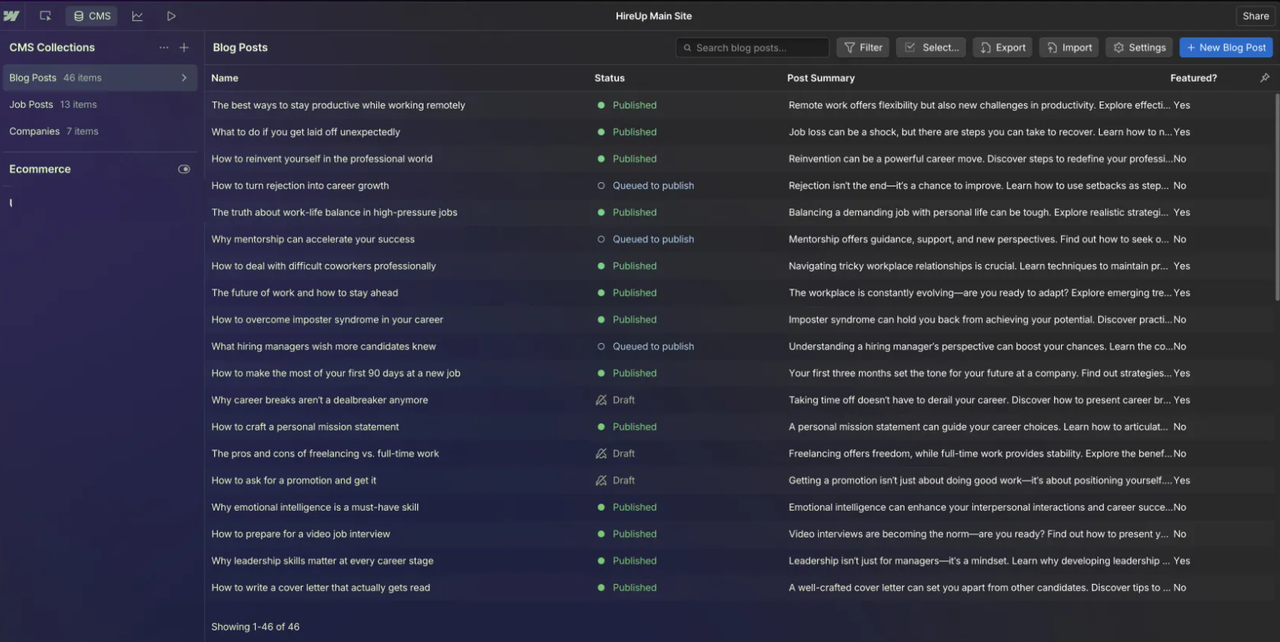
Starting a new website means building the pages that align with the goals of this website. To build these pages, you should follow a strict order that encompasses funnel stage and page type. You can find this order in the space below.
The first funnel stage is “product and solution.” Here are the product and solution pages to build first:
- The flagship product page that showcases your main software service.
- The primary solution page that targets your most profitable customer base.
- The secondary product page for the secondary features of your main software service.
- Two top-use case/jobs to be done pages that demonstrate the exact task your product handles best.
Your B2B buyers want to know what you sell and they need proof that you understand their industry-specific needs. These pages help you achieve this and can lead to prospects.
Here are the comparison and alternative pages to build first:
- A page that goes over your product and how it competes/is different from your primary competitor.
- A page that goes over your top three competitors and compares them to the product you are selling.
- Three pages that expand on those top three competitors and why your product is better than theirs.
You can adapt these pages to align with your software, its competitors, and the needs of your buyers. The above is just an outline that, in most cases, is useful as a guideline. Here are the integration pages to build first:
- A page for the CRM systems you integrate with; Salesforce and HubSpot tend to be the most popular and widely-used CRM systems.
- A page for the authentication and security systems you integrate with; Google Workspace, Microsoft Azure, and Okta tend to be the most popular and widely-used SSO systems.
- A page for the communication tools you integrate with; Microsoft Teams and Slack tend to be the most popular and widely-used communication tools.
- A page that serves as your main “integration directory.” Go over the services and tools your software integrates with.
- A page that allows users to “request an integration.” This way, if they want an integration with a particular tool, they can request it.
You can make a separate integration system for every system you integrate with. This isn’t always necessary, though. And, outside of those fifteen pages, you should build:
- Two or three pillar pages that go over the following: the core solution your product offers; how your product solves your buyers’ major pain-point, and a page on how your product works after purchase.
- A small set of high-intent articles that target people who are actually looking to purchase what you offer, as opposed to seeking information.
The reasons why you should follow this order are as follows:
- Every single one of these pages is for B2B buyers that actually want to buy your product. These pages are not just for people who need information.
- Every single one of these pages can, and should, include calls-to-action that allow B2B buyers to acquire your product.
- Every single one of these pages can, even if it doesn’t lead to direct sales, lead to new sales prospects, conversions, and new leads.
Starting with the pages clarified above allows you to start getting leads/conversions before you have 100 pages.
How to structure these pages in Webflow CMS
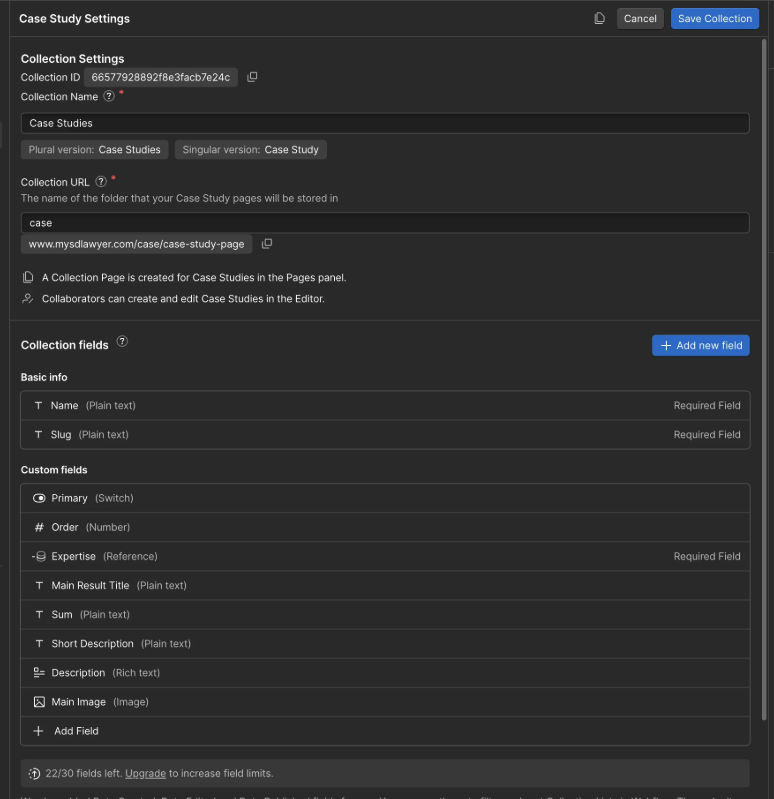
Every single one of the pages clarified above can be hosted in the Webflow CMS. But, to structure these pages in the Webflow CMS, you need to keep this in mind: some page types are static and some page types are collections.
The following pages are static:
- The flagship product page.
- The primary solution page.
- The secondary product page.
- The page that goes over your product and how it competes with your primary competitor.
- The page that goes over your top three competitors and why your product is better than theirs.
The following pages are collections:
- The two top-use case pages.
- The three pages that expand on your competitors and what makes your product better than theirs.
- The individual pages for the services you integrate with.
- The two-or-three pillar pages.
- The high-intent articles.
You should use the “static” and “collections” fields to structure those pages. This makes it easier to expand on those pages and to create new pages.
To link comparison data to products, for your comparison pages, you need a structured schema. A good structured schema can work with “product_id” which, when implemented, can link to your main product comparison pages.
You can use template page SEO fields, in the Webflow CMS, to generate unique meta title/description for individual collection pages. Doing this can streamline the process of making/organizing those collection pages.
As for slug conventions, it is best to keep it simple. If you have a static “About Us” page, you can use the “/about” slug. And, as another example, if you have collection blog pages, you can use the “/blog/article-title” slug.
If you want to learn more about pillar pages, you can click this link to read our pillar page guide.
Internal linking on a small site
An internal linking pattern that works with 20 to 100 pages should include hub pages and contextual links. This should be your primary internal linking strategy.
Your hub pages should serve as a comprehensive, high-level page for a broad target keyword. For example, one broad target keyword might be “SEO software for personal injury law firms in Georgia” - assuming that is the product you are selling. And, within each one of your hub pages, you should link to three-to-six pages that do two things: expand on a point within the hub page and link back to the hub page. These links are contextual links.
Your hub pages could link to the following/have the following contextual links, as per the 20 page list shown earlier:
- The flagship product page that showcases your main software service.
- The primary solution page that targets your most profitable customer base.
- The secondary product page for the secondary features of your main software service.
- Two top-use case pages that demonstrate the exact task your product handles best.
- A page that goes over your product and how it competes/is different from your primary competitor.
- A page that goes over your top three competitors and compares them to the product you are selling.
- Three pages that expand on those top three competitors and why your product is better than theirs.
Outside of the above, navigation and footer links should be part of your internal linking strategy and pattern:
- Your main navigation header should encompass the top-tier hub pages for your website/product.
- Your footer links should encompass any relevant utility pages and secondary hub pages.
You can click here to learn more about information architecture and how it pertains to the Webflow CMS.
Technical foundations and E-E-A-T you can actually control
The technical foundations of your under-100-page B2B site matter. Here are the technical foundations you can control:
- Speed: if a site feels slow, users won’t want to keep using it. Fortunately, Webflow’s CMS prioritizes speed and ease, both of which will aid buyers in need of your products. If there are issues, they can be fixed.
- Metadata: good metadata can help people find your website through search. Webflow lets you map SEO titles and meta descriptions to specific CMS fields.
- Author pages: Google wants to know who is writing your content and why they should be trusted. Making author pages can help set your product apart from others and help potential buyers trust in what you offer.
- Original data/examples: your website should offer data and examples that no other website offers. This data, and these examples, should center on your product’s unique capabilities. This is what sets you apart.
Each one of these a lever for a small team running a B2B website with less than 100 pages. This should be a core component of your B2B SEO strategy and a technical SEO checklist that serves as a guide.
What to measure in the first 90 days
The following is what you need to measure in the first 90 days:
- Search Console queries by page.
- Pipeline attributed conversions.
- Page stalls.
Here is a point of elaboration, for each one of those measurements:
- Look at “Impressions” and “Search Positions.” This tells you which pages are getting impressions and, if buyers aren’t being guided to your product, which pages you may need to adjust.
- Look at the number of forms that have been filled out, chat interactions, and calendar meetings that have been set-up.
- Look at the bounce rates on key pages and, if they are high, this may mean that pages are stalling. You can also look for low-scroll depth, which may mean that buyers aren’t going through certain pages.
If a page stalls, you should:
- Check the technical health of that page, using a tool like Google PageSpeed.
- Use a tool like Hotjar to see how users are engaging with that page.
- Audit the copy for that page and see if it is getting results.
- Edit the page’s design and copy - among other things - if a page continues to stall.
Doing the above will help you understand if your B2B SEO strategy is creating the results you seek.

