
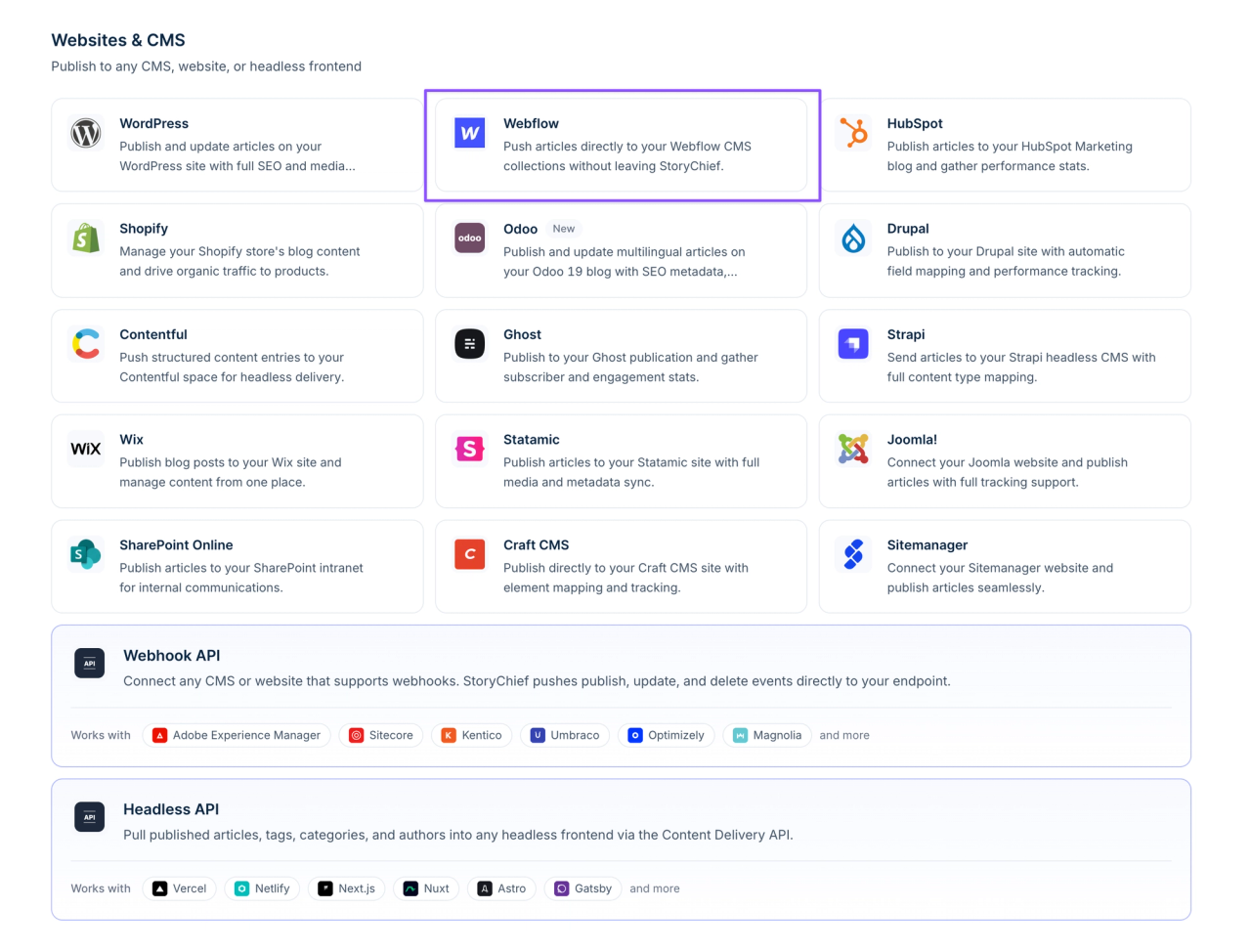
StoryChief is a content marketing workspace that lets a team plan, write, approve, and publish articles to a Webflow CMS collection, social channels, and newsletters from one editor. It is built and run by StoryChief NV in Ghent, Belgium.
Our take: StoryChief earns its price when several people touch every post before it goes live on Webflow, or when an agency runs content for multiple client sites. Approval workflows only start on the Growth plan at $279 a month billed yearly, so a solo marketer pays for a lot it will not use. If one or two people write and publish, the Webflow editor plus a Zapier or Make automation does the job for far less.
StoryChief at a glance
- Category: Content marketing platform (editorial calendar, AI writing, multichannel publishing)
- How it connects to Webflow: Third-party integration authorized through Webflow, publishing to the CMS collection you choose
- Free plan: No. Free trial with every feature and add-on, no credit card required
- Starting price: $59 a month billed yearly ($69 month to month) for one user
- Pricing basis: Per plan, with extra users, social channels, and AI credits sold as add-ons. Agency plan is priced per client workspace
- Webflow plan needed: A paid Webflow site plan with CMS, since publishing runs through the CMS API
- Skill level: No-code. Setup is field mapping, no scripts or attributes
- Best for: B2B content teams of three or more, and agencies managing several client Webflow blogs
- Not for: Solo writers, or teams that only publish to their own Webflow blog and nowhere else
- Top alternatives: CoSchedule, Planable, HubSpot Content Hub, or a Zapier workflow into the Webflow CMS
- Last verified: October 20, 2026
Key capabilities for Webflow teams

- Publishing to Webflow CMS: Each article maps to the collection fields you pick, including custom fields, so posts land with title, slug, body, image, and SEO fields filled in. Every plan allows two connected websites.
- Reviews without Webflow access: Public review links and external comments let clients or subject experts edit and approve drafts without a Webflow seat or a Designer login.
- One article, many channels: The same story can go out as social posts, a newsletter, and an RSS feed when it publishes to Webflow.
- Built-in SEO and AI visibility tools: SEO and readability scoring in the editor, a content audit on Growth and above, and tracking of how your brand appears in AI answers (10 tracked prompts on Growth, 25 on Scale).
- AI writing with credits: Research, briefs, and drafts run on monthly AI credits (15,000 on Starter up to 50,000 on Scale), with top-up packs that do not expire.
StoryChief pricing, explained
No free plan, but a free trial with every feature and no credit card. Prices in US dollars per month.
Starter
$59/mo
Billed yearly, or $69 month to month
1 user, up to 3 at $19 to $25 each
- 4 social channels
- 25 articles a month
- 15,000 AI credits
Growth
Approvals start here$279/mo
Billed yearly, or $339 month to month
5 users included
- 10 social channels
- 100 articles a month
- 25,000 AI credits
- Approval workflows, tasks, campaigns
- AI visibility tracking
Scale
$449/mo
Billed yearly, or $539 month to month
10 users included
- 25 social channels
- Unlimited articles
- 50,000 AI credits
- Translations and plagiarism checks
- Guest writer roles and REST API
Agency
Unlimited users and articles
- 10 social channels
- Client approvals
- Sold through sales, with volume discounts
$81per workspace/mo
Billed yearly, or $97 month to month
Enterprise
- SSO and an SLA
- Custom CMS integrations
$1,000+listed in euros
Pricing verified on StoryChief's pricing page on October 20, 2026.
What a typical Webflow team actually pays: a B2B marketing team of three that needs a manager to approve posts before they hit Webflow cannot use Starter, because approvals are missing. Starter with two extra users runs $97 a month billed yearly; Growth runs $279. That approval step costs about $182 a month, plus your Webflow CMS site plan. For an agency with five client Webflow sites, Agency pricing lands near $405 a month billed yearly before volume discounts, with unlimited users in every workspace.
How to connect StoryChief to Webflow
Setup takes about 10 to 15 minutes per site, most of it spent on field mapping. The steps below follow StoryChief's Webflow help article.
- Open the integrations page in StoryChief and choose Webflow.
- Click "Add new destination" and authorize the StoryChief app in the Webflow window that opens.
- Back in StoryChief, pick your Webflow account and save.
- Choose the CMS collection and domain to publish to. If your posts live under a parent folder, enter it so URLs match your Webflow setup.
- Map StoryChief fields to your collection fields, including any custom fields, and save.
- Publish a test post to a staging domain and check images, rich text, and SEO fields before going live.
The step people get wrong is the last one. Collections with required fields that StoryChief does not fill will reject the post, so either map every required field or make it optional in Webflow first.
Who should use StoryChief, and who should skip it
Use it if:
- You run a B2B content program where writers, a reviewer, and a subject expert all touch each post before it reaches the Webflow blog.
- You are an agency publishing to several client Webflow sites and want clients to approve drafts without access to the Designer or the CMS.
- Your Webflow posts also need to go out to LinkedIn, other social channels, and a newsletter every time, and copy-pasting is eating hours each week.
Skip it if:
- One or two people write and publish. Draft in Google Docs and push to Webflow with Zapier or Make instead. Both of these tools integrate with StoryChief if your needs evolve.
- Your team already lives in HubSpot. HubSpot Content Hub covers similar ground, though it pulls the blog out of Webflow.
- Your existing stack doesn’t integrate with StoryChief. Check their full integration list here.
Limits to know before connecting Webflow
- Edit in StoryChief, not in Webflow. StoryChief's own docs warn that editing a post in the Webflow CMS after publishing it through the API can break its images and expose its tracking script. The fix is to republish from StoryChief, so treat StoryChief as the source of truth for every post it publishes.
- Two websites per plan. Every plan except Enterprise connects two websites. Agencies need one workspace per client to go beyond that.
- Mapping is per collection. A site with separate blog, guide, and news collections needs each one mapped and maintained when you change fields in Webflow.
- Article caps. Starter allows 25 published articles a month and Growth allows 100, counted across all channels and sites.
StoryChief alternatives
- CoSchedule: A broader marketing calendar and project suite. Choose it if you plan many campaign types, not just articles.
- Planable: A social-first approval tool. Choose it if social posts, not blog articles, are what need sign-off.
- HubSpot Content Hub: Choose it if your CRM and email already run on HubSpot and you are willing to host the blog there instead of Webflow.
- Zapier or Make into the Webflow CMS: Choose this if you want Google Docs or Notion drafts to publish to Webflow automatically without paying for a full content platform.
- Webflow's own CMS editor: Choose it if one person writes and publishes and nothing else needs to happen when a post goes live.
What reviewers say about StoryChief
StoryChief rates 4.7 out of 5 across 129 reviews on Capterra and 4.6 out of 5 across 32 reviews on G2, as of October 2026. Reviewers most often credit fast onboarding, responsive support, and having planning, writing, and publishing in one place. Common complaints are that it suits small and mid-size teams better than very large ones, and that social shares once linked through StoryChief rather than the brand's own site.
StoryChief FAQ
Is StoryChief free?
No. StoryChief has no free plan. It offers a free trial with every feature and add-on and no credit card, after which the cheapest plan is $59 a month billed yearly.
Does StoryChief work with Webflow?
Yes. StoryChief connects to Webflow through an authorized integration and publishes articles straight into a CMS collection, mapping its fields to yours. You need a paid Webflow site plan with CMS for publishing to work.
Can StoryChief publish to more than one Webflow site?
Yes, up to two websites on every standard plan. Agencies that manage more sites use the Agency plan, which gives each client its own workspace.
What happens if I edit a StoryChief post in Webflow?
Editing an API-published post in the Webflow CMS can break its images and show the tracking script in the body. StoryChief recommends making edits in StoryChief and republishing.
How much does StoryChief cost for a team?
A team that needs approval workflows starts on Growth at $279 a month billed yearly for five users. Larger teams that need translations or unlimited articles move to Scale at $449 a month billed yearly.
Is StoryChief worth it for Webflow teams?
Yes for content teams and agencies where every Webflow post passes through several hands and also goes out to social and email. The approval workflow, client review links, and one-click distribution replace real hours of handoffs. For solo writers and small teams that publish only to Webflow, it is more platform than the job needs, and a Webflow plus automation setup costs a fraction as much.
StoryChief pros and cons
Pros
- Publishes one article to Webflow CMS, social, and newsletters in a single action
- Clients and reviewers can comment and approve through public review links, with no Webflow access
- Agency plan gives each client its own workspace with unlimited users and articles
Cons
- No free plan, and approval workflows start on Growth at $279 a month billed yearly
- Editing a published post directly in Webflow can break its images, so edits must go back through StoryChief
- Field mapping is set up per collection and has to be maintained when Webflow fields change


